Stop digging.
Start mixing.
One prep night. Pick the record you open with, hear every blend at your own cue points, and walk in on Saturday with a set you have already heard.
Apple silicon Mac on macOS 15 · iPhone on iOS 18 · rekordbox, Serato, Traktor, VirtualDJ or any folder
A set is a journey,
not a playlist.
Pick the slot you are playing and Encue keeps the set on its arc: settle the room, build, one breather, the peak, then land it. Every pick in Next up is ranked against where the night should be right now.
Opening
Settle the room
Build-up
Climb, one breath on the way
Peak time
Start high, crest late
Closing
Pick up the peak, land soft
Full set
Open to close: settle, rise, breathe, peak, land
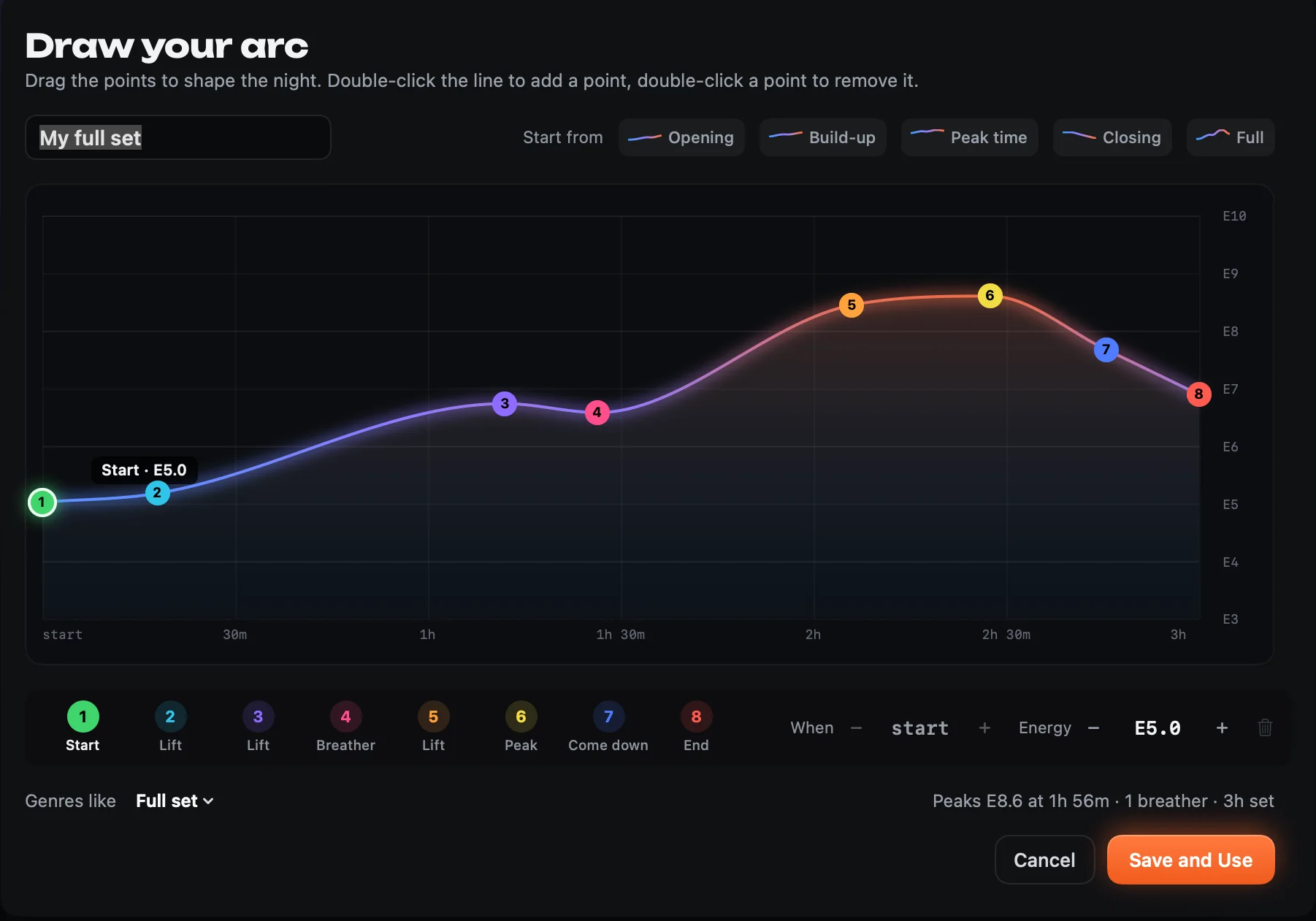
- It tells you when there is roomWhen the set is running under its arc, the panel says so: Running cool · E4
- And when you are going too hotPush the energy too early and it says Ease off a notch, before you peak with an hour still to play.
- Your bangers are rationedThe biggest records — E9 and up, measured from the audio — are held back for the peak window, so the night still has somewhere to go.
Tonight’s line-up.
Three keys do the whole set. Your hands never leave the keyboard, and nothing gets added that you have not heard.
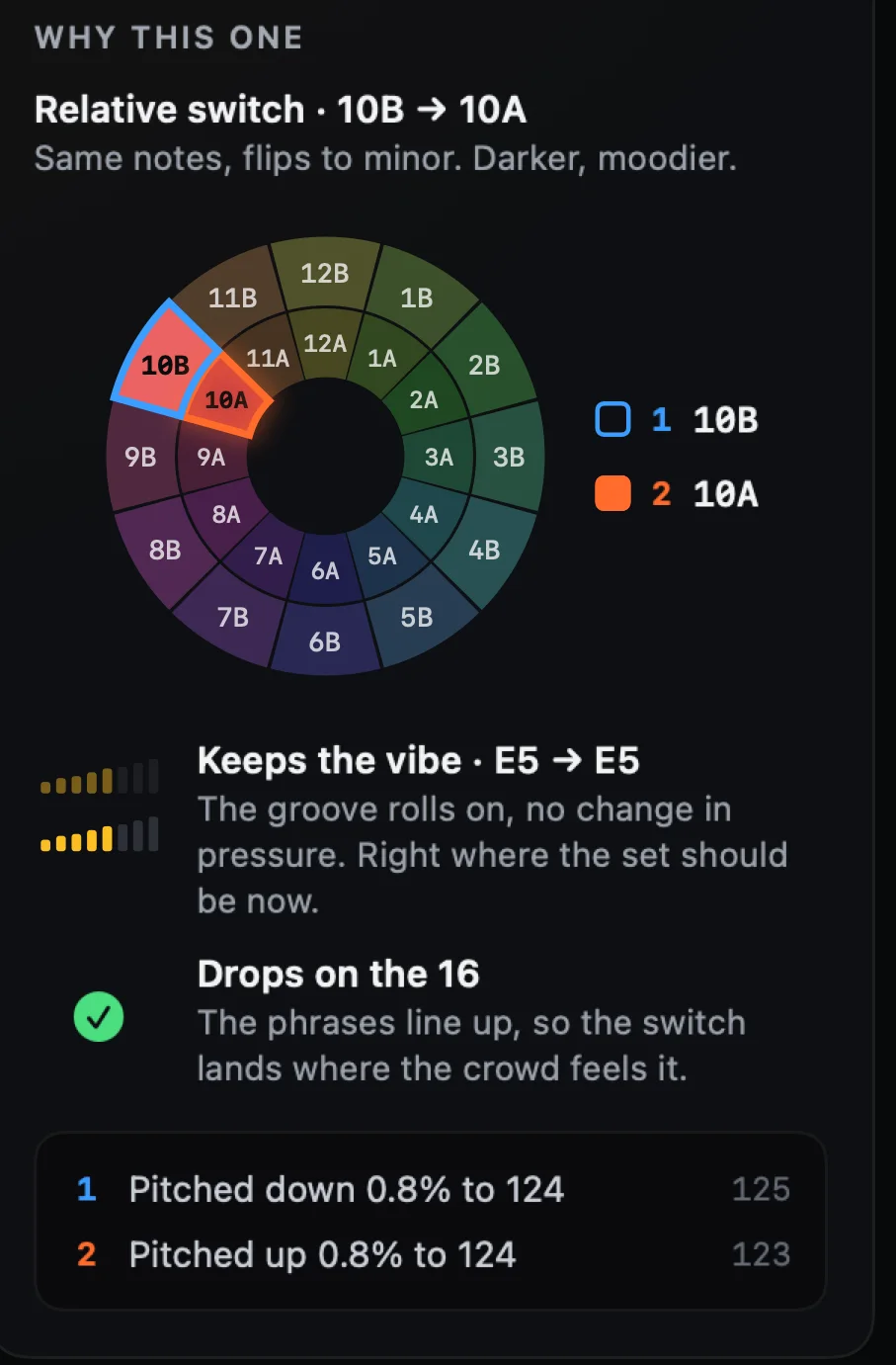
The exact transition, out of your mix-out cue and into the next record’s mix-in cue. Beat-matched, key held, lows swapped on the kick. In key is a promise — this is the proof.
Not this one? The next best pick, played from the same run-up so you compare like with like.
It is in the set, and the next pick is already loaded. U takes it back out.
Preview any record from its own cue points before you commit to it. ⌘F reaches your whole library, whatever you are filtering by.
It hears the record,
not the tags.
Encue runs a music engine of its own — proprietary, built for DJs, and world-leading at hearing what a record actually does. It reads whatever your library already carries and listens for the rest itself, and anything it worked out is marked in the app, so you always know which is which.
- Pads that hear the phraseKeep your own rekordbox or Mixed In Key cues, or let Encue place up to twelve — where the music actually turns, every one on the downbeat. Settings › Cue points.
- Kick timing, in a meterUnder the lanes, how deck 2’s kicks land against deck 1’s, every four bars, and which way to nudge. Records whose grid sits half a beat off get lined up anyway.
- Tempo, phase and the downbeatTempo to a hundredth of a BPM, then the beat phase and the “1” heard from the audio. That is why a blend sits within a few milliseconds instead of drifting across a 32-bar overlap.
- Key, in CamelotA learned chroma profile weighted separately across bass and treble. When it misses it lands a fifth or the parallel away — the moves that still mix.
- Energy where you mixLoudness, spectral flatness, sub-bass weight and per-band onset density, measured at the cue you will actually mix at, not stamped once on the whole record.
- Eyes and ears togetherEncue measures your output’s delay, Bluetooth included, so the waveform stays on the beat you are hearing.
You can see what it is
before you hear it.
Every suggestion carries what Encue heard in the record itself — measured from the audio, then ranked inside your own library, so a record earns a trait only by sitting in the top or bottom quarter of what you play. Filter Next up by any mix of them.
It shows its working.
You make the call.
10B into 10A. The wheel says yes — then the basslines fight for sixteen bars. Encue never picks for you: it ranks, it shows the key move, where the energy goes and whether the phrases line up, and then it plays you the blend so your ears decide.
Your library.
Your set. Your rules.
- Bring your own libraryrekordbox, Serato, Traktor, VirtualDJ — or any folder of music. Encue hears tempo, grid, key, phrasing and cue points for itself, and keeps the analysis your files already carry.
- It changes nothing on its ownEncue reads your library and leaves it as it is: nothing moves, nothing is renamed, nothing is re-ordered, and your audio is never touched. The one thing it can change is cue points — only when you ask, only on the files you pick, and the original tags are backed up first.
- You pick every recordEncue ranks and explains itself, record by record. Nothing joins the set unless you say so.
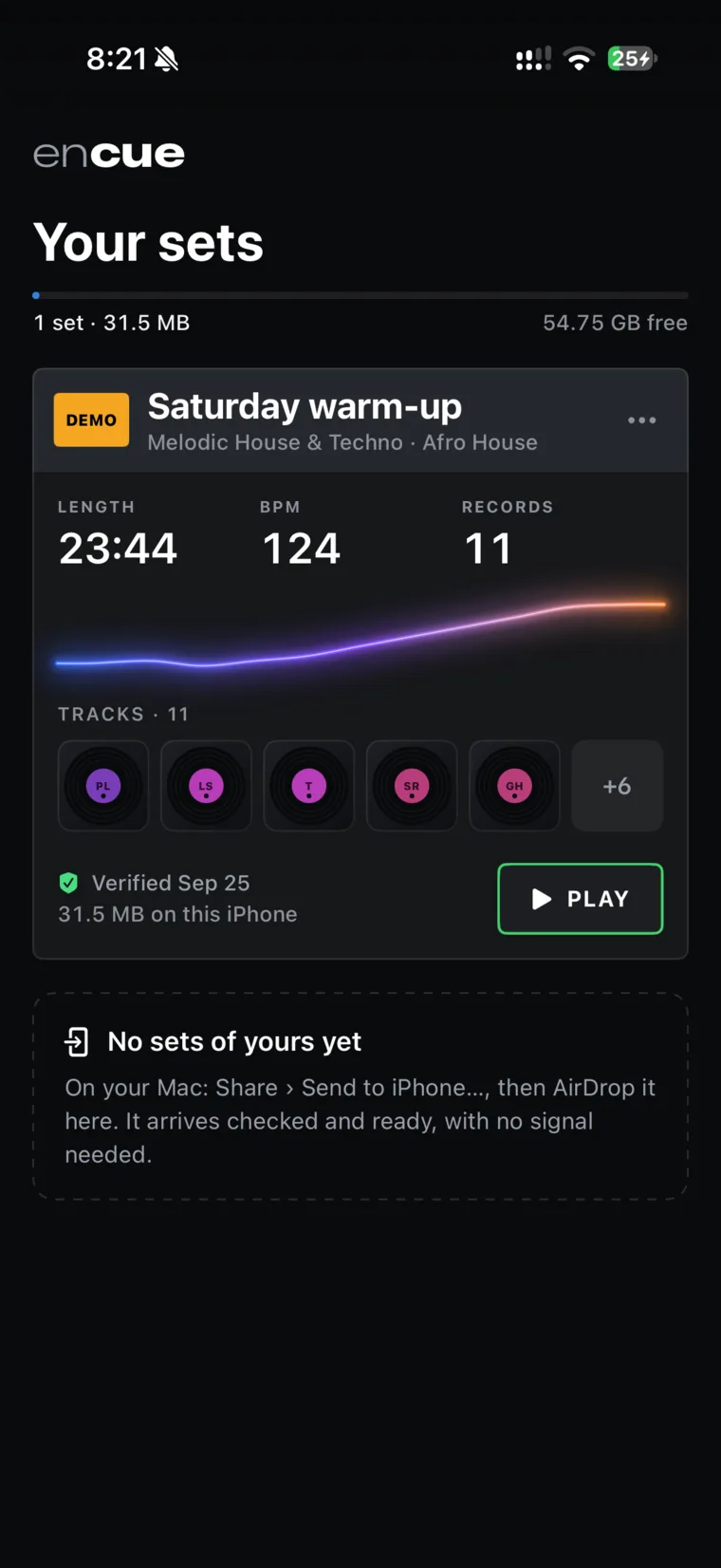
- Leave with itExport the finished set as a rekordbox playlist, or AirDrop it to Encue on your iPhone and listen back on the way to the gig.
No auto-DJ · made by a DJ, for DJs
Nothing leaves your Mac.
Not your music, not your file names, not your song choices. Encue listens on your own machine, and there is no server of ours for any of it to go to, because there isn’t one.
- Your music never movesEncue opens your files where they already sit, listens, and leaves them there. Nothing is uploaded, nothing is copied to a cloud, nothing is synced.
- Your crate stays secretNo title, artist, file name or folder ever leaves this machine — not the promo nobody has heard yet, not the record you are saving for the peak. There is nowhere for a list of your music to go.
- Encue never tracks you or collects data on youNo account, no profile, no analytics, no telemetry — not in the app, not on this page. The only thing Encue ever asks the internet is the App Store, once a day: is there a newer version?
The Encue engine
Our own music engine.
World-leading analysis, all of it on your Mac.
Encue does not look your records up — it listens to them. A proprietary engine, built from nothing for DJs, measures what a record actually does, and turns it into the set you build the night before.
The set in your pocket,
mixed.
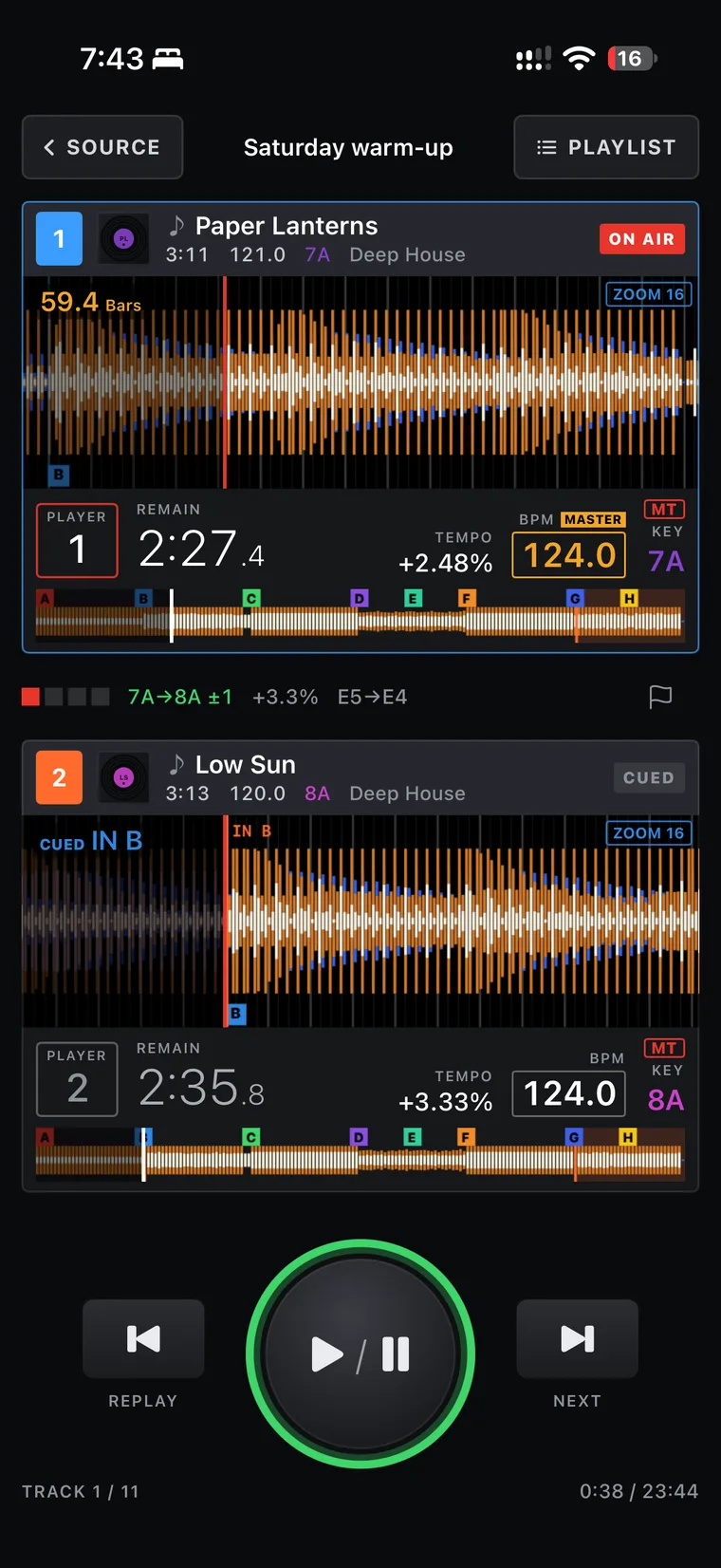
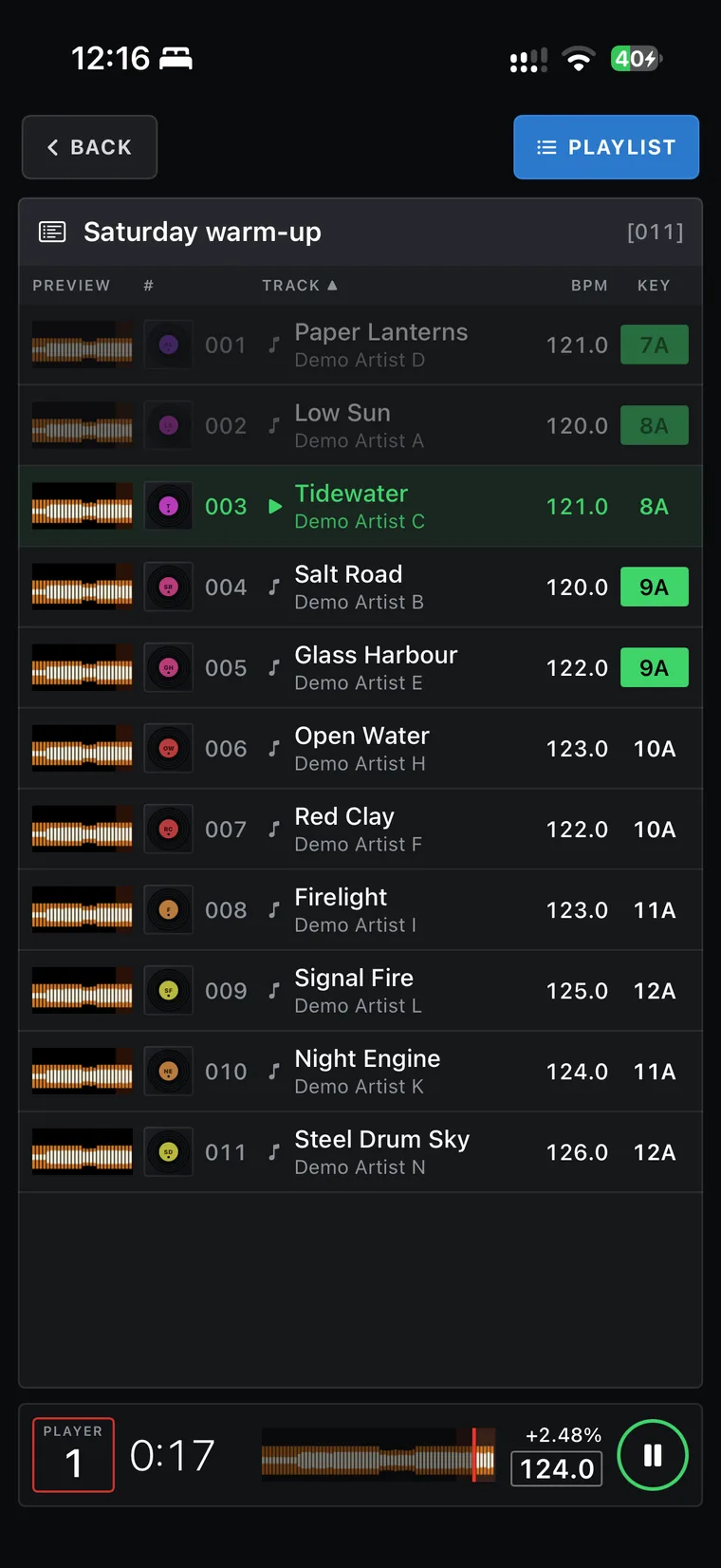
Send the finished set from your Mac and it lands on your phone: every record, every blend, exactly as Encue built it. It plays from the phone itself, so it needs no signal.
Questions.
Is this an auto-DJ?
No. Encue ranks what mixes out of the record you are on and shows why, and you choose every record. It never builds a set on its own, and it is made for the night before the gig, not for the booth.
Can I draw my own arc?
Yes. Encue comes with the arcs you would expect — opening, build-up, peak time, closing and a full set — and you can draw your own on top of them: drag the line into the shape of the night you have in mind, a slow burn, two peaks, a long goodbye, then name it and pick it like any other. From then on it ranks records against your shape, tells you when there is room to build, and holds the biggest records back for your peak.
Does anything leave my Mac?
No. Nothing leaves your Mac: not your music, not your file names, not your song choices. There is no account to make and nothing about you is measured. Every record is worked out on your own machine, and the only thing either app asks the internet is Apple’s App Store, at most once a day: is there a newer Encue? The whole policy is here.
Do I need rekordbox?
No. Encue reads a rekordbox collection if you have one, and it reads a Serato, Traktor or VirtualDJ library too. With none of them, it works straight from a folder of music: tempo, grid, key, energy and cue points are all worked out from the audio. Whichever you bring, Encue reads your library — it does not reorganise it.
Can I build from one playlist instead of my whole library?
Yes. Pick a playlist, crate or folder — a rekordbox playlist, a Serato crate, a Traktor or VirtualDJ list — and Encue draws both the openers and the suggestions from that crate alone, which is what you want when the night has a brief. Search still reaches everything, so one record from outside the crate is always a ⌘F away.
Do I need to analyse my tracks first?
No. Encue hears tempo, grid, key, phrasing and energy for itself. If your files already carry analysis in their tags, it reads that as it stands and only works out what is missing.
How good is the analysis, honestly?
Tempo and grid are the strongest part: tempo to a hundredth of a BPM, plus beat phase and downbeat heard from the audio, which is why blends sit within a few milliseconds instead of drifting over a 32-bar overlap. Key is next, from a learned chroma profile; when it misses it usually lands a fifth or the parallel away, the moves that still mix. Cue points follow the arrangement, and in blind listening about two thirds were points a DJ would use — the weak ones are records with no clear phrasing. Energy is a guide rather than a verdict. Anything Encue worked out itself is marked in the app, so you always know what came from your tags and what came from its ears.
Can I try it without my own music?
Yes. Encue comes with a demo library: 14 original house tracks with cues, keys and beat grids, so you can build a set and hear the blends straight away.
Can I hear the whole set before the gig?
Yes. Experience plays your finished set back, blend by blend, on two club-style decks with the mixer moving on its own. You can also send the set to your iPhone and listen on the way.
Can Encue write cue points into my music?
Only if you ask it to, one job at a time. Write 8 cues takes the eight points Encue heard — the start, the mix-in, the mix-out and the strongest phrase boundaries — and writes them as a rekordbox XML, or into the files themselves for Mixed In Key and Serato. Nothing is written until you have picked the format, seen the list and ticked the box that says how many files will change, and the original tags are backed up first so Put back original tags… always has something to put back. The audio itself is never touched. Leave it alone and Encue writes nothing at all.
Does importing into rekordbox change my library?
No. Encue exports the set as a rekordbox XML playlist, and importing it adds one playlist. Your files are not moved, copied or renamed, your other playlists are untouched, and cues, hot cues and beat grids are not in the file, so they stay as they are. Tracks are matched by file location, so you do not get duplicates. If you do want Encue’s cue points in rekordbox, that is the separate Write 8 cues job above, which asks first. Full steps and answers.
Serato? Traktor? VirtualDJ? Windows?
All three are read. Point Encue at your _Serato_ folder, a Traktor .nml collection or your VirtualDJ folder and it brings in the records, your crates and playlists, and the cue points you have already set — from your MP3s, in Serato’s case. Or skip the library altogether and point it at a folder of music: it hears every record for itself. When the set is done, export it as a rekordbox playlist or as an M3U8 that Serato, Traktor and VirtualDJ all import.
Encue itself runs on Apple silicon Macs. There is no Windows version.
Where do I get it, and what does it cost?
Encue is on the App Store now, and it is free for a limited time — it normally costs US$29.99. Download it while the offer is on and it is yours: one download covers both apps, Encue on your Mac and Encue on your iPhone, with no subscription and nothing to renew. Family Sharing works, so up to six people in your family can use it.
What do I need to run it?
A Mac with Apple silicon on macOS 15 (Sequoia) or later. The iPhone app needs iOS 18 or later. For your music, a rekordbox, Serato, Traktor or VirtualDJ library, or any folder of audio files — and if you have none of them to hand, the built-in demo library.
Saturday, you walk in with a set you’ve already heard.
Want the release notes? One email when something worth knowing ships.